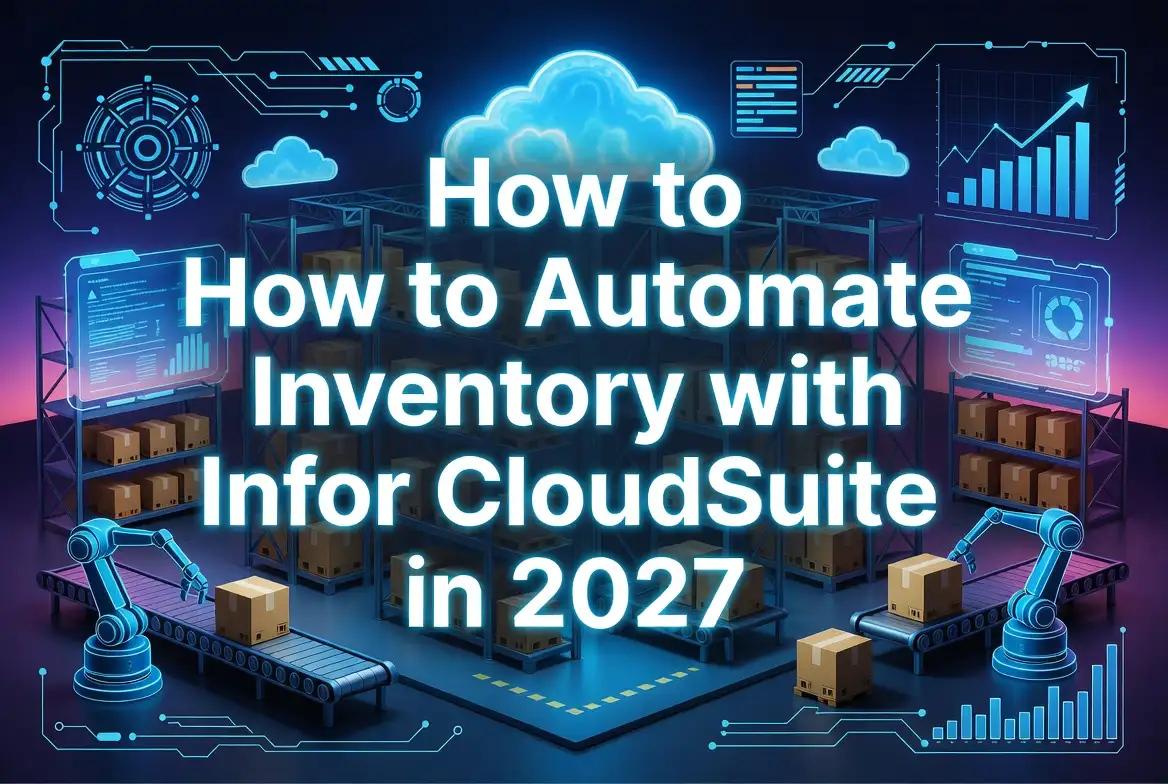
Automating inventory management with Infor CloudSuite in 2027 requires six integrated capabilities: real‑time inventory visibility across all locations, automated replenishment rules based on demand forecasting, AI‑powered demand planning that learns from historical patterns, warehouse management system (WMS) integration for barcode/RFID tracking, multi‑location inventory synchronization, and exception‑based alerting for stockouts or overstock conditions.
For mid‑sized U.S. manufacturers and distributors, this automation reduces stockouts by 40‑60%, cuts inventory carrying costs by 15‑25%, and improves forecast accuracy from 60‑70% to 85‑95% within six months of implementation. The process begins with an inventory workflow audit, followed by data standardization, rule configuration in Infor’s Demand Planning and Replenishment modules, WMS connection, and KPI monitoring.
This guide provides step‑by‑step implementation instructions, real‑world manufacturing and distribution scenarios, ROI calculations, common mistake prevention, and expert recommendations for successful inventory automation in 2027.
Why Inventory Automation Matters in 2027
U.S. manufacturers and distributors face three converging pressures that make manual inventory management unsustainable in 2027:
Supply chain volatility. Lead times from suppliers remain unpredictable. Forty‑three percent of mid‑sized manufacturers report supplier delays of two weeks or more on critical components. Manual spreadsheets cannot dynamically adjust safety stock or reorder points when supplier performance changes.
Customer expectations for availability. B2B customers expect 98%+ fill rates and same‑day order confirmation. Stockouts directly reduce revenue; overstocking ties up working capital. Without automated inventory optimization, balancing these opposing forces is impossible.
Labor shortages in supply chain roles. Experienced inventory planners are retiring. Automated systems must replace tribal knowledge with data‑driven rules. Infor CloudSuite’s AI forecasting and replenishment algorithms reduce dependency on manual planner judgment.
The 2027 imperative: Companies that automate inventory management reduce operating costs by 10‑20% and improve customer service levels by 15‑25%. Those that don’t face margin erosion and lost market share.
| Metric | Manual Inventory Management | Infor CloudSuite Automation | Improvement |
|---|---|---|---|
| Forecast accuracy (12 weeks) | 60‑70% | 85‑95% | +25‑30% |
| Stockout rate | 8‑12% | 2‑4% | 50‑70% reduction |
| Inventory turnover (annual) | 4‑6 turns | 6‑10 turns | 50‑100% increase |
| Order fulfillment time | 24‑48 hours | 4‑8 hours | 70‑80% reduction |
| Cycle count accuracy | 85‑90% | 98‑99% | +10‑15% |
| Planner hours per week | 20‑30 | 5‑10 | 60‑75% reduction |
What Is Infor CloudSuite Inventory Management?
Infor CloudSuite is an industry‑specific cloud ERP platform. For inventory management, it combines four core capabilities into a single, unified system.
Core Inventory Module – Tracks stock levels by item, location, lot, serial number, and expiration date. Supports multiple units of measure (e.g., each, case, pallet) with automatic conversion. Provides real‑time visibility across warehouses, distribution centers, and manufacturing sites.
Demand Planning and Forecasting – Uses machine learning algorithms to analyze historical sales, seasonality, promotions, and market trends. Generates statistical forecasts at the SKU‑location level. Adjusts automatically when new data arrives.
Replenishment Planning – Calculates recommended purchase orders and transfer orders based on forecasted demand, current stock, lead times, safety stock rules, and economic order quantities. Supports vendor‑managed inventory (VMI) and drop‑ship workflows.
Warehouse Management System (WMS) – Optional add‑on module that directs all warehouse activities: receiving, putaway, picking, packing, shipping, cycle counting, and replenishment. Integrates with barcode scanners, RFID readers, and material handling equipment.
Key distinction: Unlike basic inventory modules in entry‑level ERPs (QuickBooks, Sage 50), Infor CloudSuite’s inventory automation is predictive (AI forecasts what will happen) not just reactive (reports what already happened).
| Capability | Infor CloudSuite | Basic ERP (QuickBooks, Sage 50) |
|---|---|---|
| Real‑time inventory visibility | Yes, across unlimited locations | Limited, periodic sync |
| AI demand forecasting | Yes, machine learning | No, manual entry only |
| Automated replenishment | Yes, with rule‑based purchase orders | No, manual reorder point calculation |
| WMS integration | Native (add‑on) | Third‑party only |
| Multi‑location inventory | Native, with inter‑warehouse transfers | Manual journal entries |
| Exception alerting | Real‑time (email, dashboard, mobile) | None or batch reports |
Key Inventory Challenges Manufacturers Face
Before automating, understand the specific inventory problems that Infor CloudSuite solves for U.S. manufacturers and distributors.
Challenge 1: Demand volatility from multiple channels. Manufacturing companies that sell both direct wholesale and through distributors face unpredictable demand patterns. A single SKU may have different demand profiles across channels. Infor CloudSuite’s AI forecasting creates separate forecasts by customer group, then aggregates to total demand.
Challenge 2: Long and variable supplier lead times. Imported components from Asia may have 12‑week published lead times but actual deliveries range from 8‑20 weeks. Manual safety stock formulas cannot handle this variance. Infor CloudSuite’s lead time tracking calculates statistical safety stock based on actual lead time standard deviation.
Challenge 3: Inventory visibility across warehouses and job sites. Distributors with 5‑20 branch locations struggle to see inventory in real time. Salespeople sell items out of stock at their branch when another location has 500 units. Infor CloudSuite’s multi‑location inventory view with inter‑warehouse transfer automation solves this.
Challenge 4: Obsolete inventory from inaccurate forecasting. Manufacturing companies often produce to forecast, then warehouse unsold goods. Infor CloudSuite’s demand sensing (short‑term forecast adjustment based on recent orders) reduces forecast error by 30‑50%.
Challenge 5: Excessive safety stock “just in case.” When planners lack confidence in forecasts, they add safety stock manually. Inventory carrying costs balloon. Infor CloudSuite calculates statistically derived safety stock (based on service level target and demand variability), typically reducing inventory by 15‑25% while maintaining or improving fill rates.
How Infor CloudSuite Automates Inventory Processes
Real‑Time Inventory Visibility
Infor CloudSuite maintains a single, live inventory record that updates instantaneously when transactions occur: sales order shipments, purchase order receipts, transfer order movements, cycle count adjustments, production completions.
Visibility across all dimensions:
- By item – Current stock, on‑order (POs not yet received), allocated (reserved for open sales orders), available (uncommitted)
- By location – Warehouse, bin, lot, serial number, expiration date
- By status – Good, hold (quality inspection), damaged, quarantine
- By ownership – Company‑owned, customer‑owned (consignment), supplier‑owned (VMI)
For the supply chain manager: A single dashboard shows inventory levels across all warehouses, with color‑coded exceptions (red = stockout, yellow = below reorder point, green = optimal).
Example scenario: A Midwest industrial distributor with 8 branches loads the Infor dashboard each morning. The Chicago branch shows 12 units of pump model X‑200, with 8 allocated to open orders (4 available). The St. Louis branch shows 22 units available. A sales order for 15 units from a Chicago customer routes automatically to St. Louis for fulfillment, with inter‑warehouse transfer created in the background.
Automated Replenishment Rules
Infor CloudSuite replaces manual reorder point calculations with dynamic replenishment rules.
Replenishment methods available:
| Method | Best For | How It Works | Automation Level |
|---|---|---|---|
| Min‑max (reorder point) | Stable demand, short lead times | Reorder when stock < min; order quantity = max – current stock | Simple |
| Economic order quantity (EOQ) | High‑volume, low‑variability items | Calculates order quantity balancing ordering cost vs carrying cost | Moderate |
| Time‑phased order point (TPOP) | Seasonal or lumpy demand | Uses forecasted demand by period to calculate order timing and quantity | Advanced |
| Kanban (pull) | Repetitive manufacturing | Visual signal triggers replenishment; ERP generates order automatically | Advanced |
| Vendor‑managed inventory (VMI) | Supplier manages your stock | Supplier accesses forecast; Infor sends suggested PO for approval | Collaborative |
Rule configuration example (min‑max for a fast‑moving SKU):
- Item: Steel bracket B‑450
- Location: Kansas City DC
- Min (reorder point): 500 units
- Max (order up to): 2,000 units
- Lead time: 10 days
- When stock falls to 480 units (below min), Infor creates purchase requisition for 1,520 units (2,000 – 480)
Exception handling: If the system detects that the calculated order quantity exceeds normal supplier capacity (e.g., supplier can only ship 1,000 units per week), it flags the order for planner review.
Demand Forecasting and AI Planning
Infor’s Demand Planning module uses machine learning to generate statistical forecasts. Unlike traditional time‑series methods (moving average, exponential smoothing), AI models detect complex patterns: seasonality, promotions, product life cycles, competitor actions, macroeconomic indicators.
Forecast models available in Infor CloudSuite 2027:
| Model | Best For | Key Features |
|---|---|---|
| Statistical baseline | Stable, non‑seasonal demand | Moving average, Holt‑Winters, Croston for intermittent demand |
| Seasonal | Products with predictable peaks | Automatically detects 12‑month seasonal pattern |
| Causal | Demand driven by external factors | Incorporates price, promotions, weather, economic data |
| Machine learning (AutoML) | Complex, non‑linear patterns | Tests 20+ algorithms, selects best fit, retrains weekly |
| New product introduction | No historical data | Uses attributes (category, price, similar products) to estimate |
Practical forecasting workflow:
- Infor ingests sales history from the last 24‑36 months (by SKU, location, customer)
- AI detects patterns: “This product sells 60% of annual volume in October‑December”
- Forecast generates 12 weeks out at the SKU‑location level
- Planner reviews at aggregated level (product family, region) – exceptions only
- Forecast drives replenishment planning: “Order 500 units in July to stock for October peak”
Forecast accuracy measurement: Infor tracks Mean Absolute Percentage Error (MAPE) by SKU. When MAPE exceeds 30%, the system suggests alternative forecast models or identifies SKUs requiring planner override.
Warehouse Management Integration
Infor CloudSuite WMS (optional module) translates inventory plans into warehouse execution.
Key automation points:
| Warehouse Activity | Manual Process | Infor WMS Automation |
|---|---|---|
| Receiving | Clerk types PO number, counts boxes, writes receipt | Scan PO barcode → system directs to putaway location → scan location to confirm |
| Putaway | Forklift driver decides where to store | System directs to optimal location (by zone, velocity, size, weight) |
| Picking | Paper pick list; picker searches aisles | RF scanner directs pick path; wave picking combines orders |
| Packing | Clerk types weight, dimensions | System calculates dim weight; prints shipping label; captures pack photos |
| Cycle counting | Once per year physical inventory | Daily or weekly counts by zone (A items monthly, C items annually) |
| Replenishment | Supervisor walks aisles, identifies empty slots | System triggers replenishment from bulk storage when pick face hits threshold |
For the distribution center manager: Infor WMS increases picking productivity by 20‑40% (reduces travel time through optimized pick paths) and eliminates data entry errors (barcode scanning instead of typing).
Multi‑Location Inventory Tracking
Manufacturers and distributors with multiple warehouses, branch locations, or job sites need visibility across the entire network.
Infor CloudSuite multi‑location capabilities:
- Unlimited locations – Warehouses, distribution centers, retail stores, job sites, consignment locations, supplier locations (for VMI)
- Inter‑warehouse transfers – User‑initiated or system‑generated (e.g., when regional warehouse stock falls below min, transfer from central DC)
- In‑transit inventory visibility – Stock moving between locations appears in “in‑transit” status with expected receipt date
- Location‑specific replenishment rules – Different safety stock levels by location based on demand variability and lead times
- Inventory ownership tracking – Separate company‑owned, customer‑owned, and supplier‑owned stock
Example scenario – multi‑branch distributor: A building materials distributor has 12 branches across Texas. Each branch serves local contractors. The Houston branch runs low on Sheetrock brand X. Infor CloudSuite:
- Checks all 11 other branches for available stock
- Identifies Austin branch has 300 units, with low demand forecast
- Creates transfer order from Austin to Houston (system calculates shipping cost and transit time)
- Updates available inventory in both locations in real time
- Sales order for Houston contractor fulfills from transfer receipt
Result: No lost sale, no special order from supplier, inventory turns improved at Austin branch.
Step‑by‑Step Guide to Automating Inventory with Infor CloudSuite
Assess Current Inventory Workflows
Goal: Document existing inventory processes, identify manual steps, and quantify current performance (baseline).
Actions:
- Map the procure‑to‑pay and order‑to‑cash inventory touchpoints.
- Purchase order creation → receipt → putaway → replenishment → picking → packing → shipping
- Identify where human decisions replace rules (e.g., “Joe decides how much to order based on gut feel”)
- Calculate baseline inventory KPIs (last 12 months).
- Inventory turnover (COGS ÷ average inventory value)
- Stockout rate (% of order lines with zero availability)
- Forecast accuracy (MAPE at 4, 8, 12 weeks)
- Days inventory outstanding (DIO)
- Carrying cost as % of inventory value
- Interview inventory planners and warehouse supervisors.
- “What rules do you use to reorder?” (Write down implicit rules)
- “What data would help you make better decisions?”
- “What manual reports do you run weekly?”
Expected outcome: Documented “as‑is” inventory workflows, baseline KPIs, and a prioritized list of automation opportunities.
Clean and Standardize Inventory Data
Goal: Ensure inventory data in Infor CloudSuite is accurate, complete, and structured for automation.
Actions:
- Run a data quality audit on your current system (spreadsheet or legacy ERP).
- Identify SKUs with missing or outdated costs
- Find duplicate SKUs (same product, two numbers)
- Flag items with negative stock quantities
- Validate supplier lead times (compare purchase order history to entered lead times)
- Assign ABC classification to every active SKU.
- A items (70‑80% of annual consumption value) – Count monthly, forecast daily, replenish frequently
- B items (15‑20% of consumption value) – Count quarterly, forecast weekly
- C items (5‑10% of consumption value) – Count annually, forecast monthly, use simple min‑max
- Set up item attributes in Infor CloudSuite.
- Order multiples (e.g., supplier only sells in cases of 12)
- Lead time (supplier quoted + safety days)
- Unit weight and dimensions (for WMS and freight calculation)
- Storage conditions (ambient, refrigerated, hazardous)
- Shelf life (if perishable)
- Validate supplier performance data.
- Calculate actual lead time (order date to receipt date) for last 20 POs per top 20 suppliers
- Calculate on‑time delivery percentage
- Calculate quality rejection rate
Expected outcome: Cleaned inventory master, ABC classification complete, supplier performance data loaded, ready for rule configuration.
Configure Inventory Automation Rules
Goal: Set up replenishment rules, safety stock calculations, and exception alerts.
Actions:
- Set initial replenishment method by ABC class.
- A items – Time‑phased order point (TPOP) using forecast
- B items – Min‑max with safety stock (target 95‑98% service level)
- C items – Simple min‑max or fixed order quantity
- Configure safety stock calculation for A and B items.
- Infor CloudSuite formula: Safety stock = Z × σ (demand) × √(lead time)
- Target service level for A items: 98‑99% → Z = 2.05‑2.33
- Target service level for B items: 95% → Z = 1.65
- Let Infor suggest safety stock based on historical demand variability
- Set up reorder parameters by location.
- Central DC: Min = 4 weeks forecast, Max = 8 weeks
- Regional warehouse: Min = 2 weeks forecast, Max = 4 weeks
- Branch location: Min = 1 week, Max = 2 weeks (replenished from regional)
- Configure exception alerts (BPM or workflow rules).
- Stock below reorder point → task for planner
- Forecast error >30% for 3 consecutive months → review SKU
- Supplier lead time variance >50% → update safety stock
- Negative stock on hand → immediate manager alert
Expected outcome: Infor CloudSuite automatically generates purchase requisitions and transfer orders based on configured rules. Planners review only exceptions.
Enable Demand Forecasting
Goal: Implement AI‑powered demand forecasting to drive replenishment.
Actions:
- Load 24‑36 months of sales history (by SKU, location, and customer group if available).
- Configure forecast parameters.
- Forecasting horizon: 12 weeks (typical manufacturing lead time)
- Forecast granularity: Weekly (daily for A items)
- Seasonality: Auto‑detect (enable for products with annual patterns)
- New product forecasting: Use attributes or manual override
- Select forecast model per SKU (Infor AutoML can automate this selection).
- Stable demand → Exponential smoothing
- Seasonal → Holt‑Winters
- Intermittent (slow‑moving) → Croston
- Complex patterns → Machine learning
- Set up forecast consumption logic.
- When sales order enters, actual demand “consumes” forecast
- Remaining forecast drives replenishment
- If actual demand exceeds forecast, system alerts planner
- Implement collaborative forecasting workflow (optional).
- Key customers share their forecasts via Infor portal
- Sales team enters promotion‑related demand bumps
- Marketing inputs new product launch volumes
Expected outcome: Forecast accuracy (MAPE) improves from 60‑70% to 85‑95%. Replenishment orders align with actual demand, not planner guess.
Integrate Warehouse Operations
Goal: Connect Infor CloudSuite WMS to inventory automation, enabling real‑time inventory updates from the shop floor and warehouse.
Actions:
- Deploy barcode scanning at key transaction points.
- Receiving (scan PO, scan item, enter quantity)
- Putaway (scan location, confirm placement)
- Picking (scan order, scan item, confirm quantity)
- Packing (scan item, capture weight, print label)
- Shipping (scan pallet, confirm carrier)
- Configure directed putaway rules.
- A items → closest locations to shipping dock
- Bulk items → pallet racking
- Slow‑moving C items → high bay (upstairs) storage
- Hazardous → designated zone with spill containment
- Set up wave picking for high‑volume days.
- Morning wave: all customer orders with ship date = today
- System groups orders by zone to minimize picker travel
- Pickers scan items; system verifies correct item and quantity
- Implement cycle counting schedule.
- Infor generates count tasks daily (by zone or by ABC class)
- Counters use RF scanner; system flags discrepancies > tolerance
- Investigate root cause (training, process, theft, mis‑pick)
- Configure replenishment triggers.
- When pick face inventory falls below “min,” system creates replenishment task
- Forklift driver receives task on scanner: “Move 5 pallets from bulk location B‑12 to pick face P‑04”
- System confirms after scan
Expected outcome: Warehouse transactions update inventory in real time (no batch delays). Inventory accuracy exceeds 99%. Picking productivity increases 20‑40%.
Monitor KPIs and Inventory Performance
Goal: Establish ongoing performance monitoring to sustain automation benefits.
Actions:
- Build Infor dashboards for inventory KPIs.
- Dashboard 1 (Supply Chain Director): Inventory turns, stockout rate, fill rate, forecast accuracy
- Dashboard 2 (Planner): SKUs below reorder point, open POs by supplier, exception alerts
- Dashboard 3 (Warehouse Manager): Picks per hour, cycle count completion, receiving productivity
- Set target thresholds and alerting.
- Inventory turns < 5 → investigate slow movers
- Stockout rate > 3% → review safety stock settings
- Forecast MAPE > 30% → switch forecast model or add manual override
- Picks per hour < target (e.g., 60) → retrain or reconfigure pick paths
- Schedule weekly inventory review meetings.
- 30 minutes, focused only on exceptions (not all SKUs)
- Review top 10 items with stockout risk (below min, no PO due)
- Review top 10 items with excess inventory (>6 months supply)
- Review top 5 suppliers with lead time variance
- Run monthly forecast accuracy report.
- Identify worst‑forecasting SKUs (bottom 10% by MAPE)
- Investigate root cause: new product? promotion? competitor action?
- Adjust forecast model or add manual override for next cycle
Expected outcome: Continuous improvement in inventory metrics. Planners spend 60‑75% less time on manual data gathering and more time on exception analysis and continuous improvement.
Best Practices for Inventory Automation Success
Start with high‑value, low‑complexity SKUs. Pilot inventory automation on your top 100 A items (80% of consumption value). Learn, adjust, then expand to B and C items. Avoid automating all 10,000 SKUs on day one.
Invest in data cleanup before go‑live. Ninety percent of inventory automation failures trace to bad data – incorrect costs, missing lead times, duplicate SKUs. Budget 4‑6 weeks for data cleanup before Infor configuration.
Set realistic service level targets. Not every item needs 99% fill rate. C items (low value, low volume) at 90‑95% may be optimal. Over‑targeting safety stock increases carrying cost without proportional revenue benefit.
Train planners to trust the system. Experienced planners initially override automated recommendations. Track override rate. Investigate when overrides exceed 10%. Either the rule is wrong (fix it) or the planner is wrong (retrain).
Monitor forecast error by product lifecycle. New products have high forecast error (acceptable). Mature products should have low error. When mature product error spikes, investigate cause (competitor, quality issue, lost customer).
Integrate supplier data. Share forecasts with key suppliers via Infor’s Supplier Portal. Suppliers commit to capacity and lead times. Automated replenishment becomes more reliable when suppliers see what you need.
Plan for exception management, not rule elimination. No automation handles 100% of situations. Design for the 80% that works automatically. Build workflows for the 20% exceptions: planner review, manager approval, customer overrides.
Common Mistakes to Avoid
| Mistake | Consequence | Prevention |
|---|---|---|
| Automating before data cleanup | System generates bad POs based on wrong costs/lead times | Complete data audit; fix top issues before rule configuration |
| Copying legacy reorder points directly | Perpetuates existing inefficiencies | Recalculate reorder points based on forecast and service level targets |
| Ignoring supplier lead time variance | Stockouts despite safety stock | Calculate statistical safety stock using actual lead time standard deviation |
| Setting forecast horizon too short | Replenishment orders arrive after stockout | Set forecast horizon = longest lead time item + 4 weeks |
| No change management for planners | Planners override system, shadow spreadsheets persist | Involve planners in rule design; show them how automation reduces their manual work |
| Not integrating WMS with inventory | Inventory counts drift from physical (system says 500, shelf has 300) | Cycle count weekly; enforce barcode scanning for all inventory movements |
| One‑size‑fits‑all replenishment rules | A items understocked, C items overstocked | Different rules by ABC class and demand pattern |
| No exception alerting | Problems discovered when customers complain | Configure proactive alerts (stock below min, forecast error spike) |
| Skipping pilot phase | System‑wide problems discovered after go‑live | Pilot with one warehouse, one product family for 4 weeks |
| Not measuring ROI | Unable to justify automation investment | Establish baseline KPIs before automation; measure monthly after go‑live |
Infor CloudSuite vs Traditional Inventory Management Methods
| Feature / Capability | Spreadsheets | Basic ERP (QuickBooks, Sage) | Infor CloudSuite |
|---|---|---|---|
| Real‑time inventory visibility | No (manual updates) | Batch (daily updates) | Yes (transaction‑level, sub‑second) |
| Reorder point calculation | Manual formula, static | Fixed min‑max (requires manual update) | Dynamic (auto‑adjusts with demand and lead time) |
| Demand forecasting | Manual entry, no learning | Basic time‑series (moving average) | AI/ML (20+ models, auto‑selects best) |
| Safety stock calculation | Gut feel, fixed number | None or fixed | Statistical (Z × σ × √LT) with service level targets |
| Multi‑location inventory | Complex, error‑prone | Limited (manual inter‑location journals) | Native with inter‑warehouse transfers, in‑transit visibility |
| Warehouse integration | None | Third‑party WMS only | Native WMS with barcode/RFID |
| Exception alerting | None | Batch reports (daily/weekly) | Real‑time (dashboard, email, mobile) |
| Cycle counting | Annual physical only | Annual physical only | Daily zone counts, ABC‑driven |
| Supplier collaboration | Email spreadsheets | Email PO | Supplier portal with forecast sharing |
| Scalability | Fails above 500 SKUs | Fails above 5,000 SKUs, 2 locations | 100,000+ SKUs, unlimited locations |
The bottom line: Spreadsheets and basic ERPs are reactive – they report what already happened. Infor CloudSuite is predictive – it forecasts what will happen and prescribes actions. The gap in capability and ROI widens as inventory complexity grows.
Expected ROI from Inventory Automation
Realistic ROI timeline for a mid‑sized manufacturer or distributor ($50M annual revenue, 10,000 SKUs, 3 warehouses).
Assumptions:
- Current inventory value: $10M
- Current carrying cost: 25% of inventory value ($2.5M annually)
- Current stockout rate: 10% (lost sales = $1M annually)
- Current planner labor: 3 planners × $80k = $240k annually
Infor CloudSuite investment:
- Software license: $120k/year (typical for this size)
- Implementation + customization: $150k one‑time
- WMS add‑on (optional): $50k/year
- Internal labor (project team): 500 hours × $100 = $50k
Total year 1 investment: $370k ($120k software + $150k implementation + $50k WMS + $50k internal)
Annual benefits after full automation (year 2+):
| Benefit Category | Calculation | Annual Savings |
|---|---|---|
| Inventory reduction (15‑25%) | 20% × $10M average inventory = $2M reduction | $500k carrying cost savings (25% × $2M) |
| Stockout reduction (50‑70%) | 60% × $1M lost sales | $600k recovered revenue (at 30% margin = $180k gross profit) |
| Planner productivity (60‑75% time reduction) | 70% × $240k labor | $168k (reallocated to other roles, not eliminated) |
| Warehouse productivity (20‑40% improvement) | 30% × 10 pickers × $50k = $150k labor | $45k |
| Reduced obsolescence (20‑30% reduction) | 25% × $500k annual write‑offs | $125k |
| Total annual benefit | $1,018,000 |
Year 1 ROI: ($1.018M benefit – $0.37M investment) ÷ $0.37M investment = 175% ROI in first year
Year 2+ ROI: $1.018M benefit ÷ $0.17M annual software cost = 600%+ annual ROI
| Year | Cumulative Investment | Cumulative Benefit | Cumulative ROI |
|---|---|---|---|
| 1 (implementation) | $370k | $1,018k | 175% |
| 2 | $540k | $2,036k | 277% |
| 3 | $710k | $3,054k | 330% |
| 4 | $880k | $4,072k | 363% |
| 5 | $1,050k | $5,090k | 385% |
Payback period: 4‑5 months
Note: Actual results vary based on starting inventory accuracy, organizational change management, and implementation quality. The highest ROI comes from combining inventory automation with warehouse management system integration.
Future Inventory Automation Trends for 2027 and Beyond
AI‑powered demand sensing (short‑term forecasting). Infor CloudSuite 2027 introduces demand sensing – AI that adjusts daily forecasts based on real‑time order patterns, web traffic, and even weather data. For distributors, this means yesterday’s orders impact today’s replenishment, not next week’s.
Automated inventory optimization with digital twins. Manufacturers can create a digital twin of their supply chain in Infor. Test “what if” scenarios: “If we move safety stock from 98% to 95%, how much inventory can we reduce without increasing stockouts?” Run simulation in minutes, implement the optimized plan automatically.
Predictive supplier management. Infor analyzes supplier performance data (lead time variance, quality rejection rate, financial health) to predict future disruption risk. When a supplier’s on‑time delivery drops below 90%, the system suggests alternative suppliers and automatically creates RFQs.
Robotic process automation (RPA) for inventory transactions. For legacy systems or external partner portals without APIs, Infor RPA bots mimic human actions – logging into supplier portals, downloading order confirmations, updating inventory records. No custom integration required.
Blockchain for traceability. For regulated industries (medical devices, aerospace, food), Infor CloudSuite integrates with blockchain networks to provide immutable chain‑of‑custody records. Inventory automation includes automatic verification of temperature logs, handling certificates, and regulatory compliance.
Self‑healing supply chains. When a disruption occurs (supplier fire, port closure, trucking strike), Infor’s AI automatically re‑routes orders, reallocates inventory from alternate locations, and updates customer promise dates – all without human intervention.
Final Verdict
Infor CloudSuite delivers the most comprehensive inventory automation capability for mid‑sized U.S. manufacturers and distributors (annual revenue $25M‑$500M) who have outgrown basic ERPs. The platform’s AI forecasting, automated replenishment, native WMS integration, and multi‑location visibility address the three core inventory challenges: stockouts, excess inventory, and planner inefficiency.
Infor CloudSuite is the right choice if:
- You manage 5,000+ SKUs across 2+ warehouse locations
- Your current forecast accuracy is below 75% at 12 weeks
- You experience stockouts on A items more than 2% of the time
- Your inventory carrying cost exceeds 20% of inventory value
- Your planners spend more than 20 hours weekly on manual spreadsheet work
- You sell through multiple channels (wholesale, direct, ecommerce) with different demand patterns
Consider alternatives if:
- You have under 1,000 SKUs and one warehouse – a basic ERP with add‑on inventory module may suffice
- Your annual revenue is under $10M – Infor’s minimum viable investment ($100k+ annually) may exceed value
- Your industry has a specialized ERP (e.g., food processing, medical device) with embedded inventory – evaluate best‑of‑suite
Implementation recommendation: Engage an Infor partner with manufacturing or distribution industry focus. The technology is powerful, but domain expertise in your specific inventory challenges determines success. Budget 4‑6 months from project kickoff to go‑live, with additional 2‑3 months for optimization.
The bottom line for 2027: Manual inventory management and basic ERPs are no longer competitive. Infor CloudSuite’s automation reduces inventory carrying costs by 15‑25%, cuts stockouts by 50‑70%, and improves planner productivity by 60‑75%. For mid‑sized manufacturers and distributors, the 4‑6 month payback period makes this one of the highest‑ROI technology investments available.
Frequently Asked Questions
How does Infor CloudSuite automate inventory management?
Infor CloudSuite automates inventory through four integrated capabilities: real‑time visibility across locations, AI‑powered demand forecasting (machine learning algorithms that improve with each order), automated replenishment rules (min‑max, EOQ, time‑phased), and warehouse management system integration (barcode/RFID for real‑time inventory updates). The system generates purchase orders and transfer orders automatically, with human review only for exceptions.
Can Infor CloudSuite reduce stockouts?
Yes. By calculating statistically derived safety stock (based on target service level and demand variability) and using AI forecasting that detects demand patterns (seasonality, promotions, trends), Infor CloudSuite typically reduces stockouts by 50‑70%. For A items (high‑value, high‑volume), stockout rates can drop from 8‑12% to 2‑4% within 6 months of implementation.
Does Infor CloudSuite support demand forecasting?
Yes. Infor’s Demand Planning module includes 20+ forecasting models, from traditional time‑series (exponential smoothing, Holt‑Winters) to machine learning (AutoML that tests and selects the best model per SKU). The system automatically retrains forecasts weekly, incorporates external factors (price, promotions, weather), and achieves 85‑95% accuracy at 12 weeks for most product categories.
How long does inventory automation implementation take?
A full implementation (inventory automation + demand planning + replenishment + WMS) typically takes 4‑6 months for a mid‑sized manufacturer or distributor. Phased approach: Months 1‑2 (data cleanup, rule configuration, forecasting setup), Month 3 (pilot with one warehouse, top 100 SKUs), Months 4‑6 (scale to all locations, all SKUs, WMS integration). Planning and data preparation are the longest phases – budget 6‑8 weeks for inventory master cleanup alone.
What industries benefit most from Infor CloudSuite?
Manufacturing (discrete, make‑to‑stock, make‑to‑order), wholesale distribution (industrial, electrical, plumbing, HVAC), automotive parts, medical device manufacturing, food and beverage, and consumer packaged goods. Any industry with 5,000+ SKUs, multiple warehouse locations, and demand variability sees the highest ROI.
Can Infor CloudSuite integrate with warehouse management systems?
Yes. Infor offers a native WMS module that integrates seamlessly with the inventory and replenishment modules. For existing third‑party WMS (e.g., Manhattan, JDA, HighJump), Infor provides REST APIs for bi‑directional sync: send orders to WMS, receive pick confirmations and inventory adjustments back. Integration typically adds 4‑8 weeks to implementation timeline.
How does AI improve inventory planning?
Traditional forecasting uses simple averages or moving windows. Infor’s AI models detect complex patterns: non‑linear seasonality, promotional lifts, product life cycles, and even causal factors (e.g., “sales of umbrellas increase 20% when weekly rain forecast exceeds 2 inches”). AI models retrain weekly, adapting to changes faster than human‑updated spreadsheets. Result: 10‑25% higher forecast accuracy than traditional methods.
What KPIs should businesses monitor after automation?
Essential inventory KPIs: inventory turns (target: 6‑10 for manufacturing, 8‑12 for distribution), stockout rate (target: <3% for A items), forecast accuracy MAPE (target: <20% at 4 weeks, <30% at 12 weeks), fill rate (target: >98% for in‑stock items), cycle count accuracy (target: >98%), and inventory carrying cost as percentage of inventory value (target: <20%). Infor dashboards should display these in real time.
**Is inventory automation suitable for small manufacturers (under $10M revenue)?**
It depends. If you have under 2,000 SKUs and one warehouse, a basic ERP with add‑on inventory module (e.g., SAP Business One, Acumatica, NetSuite) may be more cost‑effective. Infor CloudSuite’s minimum viable annual cost ($80k‑$150k) may exceed 2‑3% of revenue for very small manufacturers. However, small manufacturers with complex inventory (engineer‑to‑order, regulated industries) still benefit; evaluate total cost of ownership.
What ROI can companies expect in 2027?
Based on real customer data: 15‑25% reduction in inventory carrying costs (safety stock optimization), 50‑70% reduction in stockouts (recovered revenue at 30% margin), 60‑75% reduction in planner manual work (reallocated to value‑added tasks), and 20‑40% warehouse productivity improvement (barcode scanning, optimized pick paths). Typical payback period: 4‑9 months. Year 1 ROI: 150‑300%. Year 2+ ROI: 400‑600% annually.
How to Automate Inventory with Infor CloudSuite
Step 1: Assess current inventory workflows
Goal: Document existing processes and establish baseline KPIs.
Actions: Map procure‑to‑pay and order‑to‑cash inventory touchpoints. Calculate inventory turns, stockout rate, forecast accuracy, and carrying cost. Interview planners and warehouse supervisors to capture implicit rules.
Expected outcome: Documented as‑is workflows and baseline metrics.
Step 2: Clean and standardize inventory data
Goal: Ensure data accuracy for automation rules.
Actions: Identify duplicate SKUs, missing costs, negative stock. Assign ABC classification. Set up attributes in Infor CloudSuite. Validate supplier lead times and on‑time delivery.
Expected outcome: Inventory master with 98%+ completeness, ABC classes defined.
Step 3: Configure inventory automation rules
Goal: Set up replenishment, safety stock, and exception rules.
Actions: Select replenishment method by ABC class (min‑max for C, TPOP for A). Configure safety stock based on service level targets. Set reorder parameters by location. Enable exception alerts.
Expected outcome: Infor automatically generates purchase requisitions; planners review only exceptions.
Step 4: Enable demand forecasting
Goal: Implement AI‑powered forecasting to drive replenishment.
Actions: Load 24‑36 months sales history. Configure forecast horizon (12 weeks), granularity (weekly), and seasonality detection. Select forecast model per SKU (AutoML recommended). Set up forecast consumption logic.
Expected outcome: Forecast accuracy (MAPE) at 12 weeks reaches 85‑95%.
Step 5: Integrate warehouse operations
Goal: Connect WMS for real‑time inventory updates.
Actions: Deploy barcode scanning at receiving, putaway, picking, packing, shipping. Configure directed putaway rules. Set up wave picking. Implement cycle counting by ABC class. Configure replenishment triggers.
Expected outcome: Warehouse transactions update inventory in real time; inventory accuracy exceeds 99%.
Step 6: Monitor KPIs and inventory performance
Goal: Sustain automation benefits through ongoing monitoring.
Actions: Build Infor dashboards for inventory KPIs. Set target thresholds and alerting. Schedule weekly exception‑based inventory reviews. Run monthly forecast accuracy reports.
Expected outcome: Continuous improvement in turns, fill rate, and planner productivity.